Snapchat data download not working? How to fix your My Data export
This guide is about Snapchat's My Data export, the tool that downloads a copy of your Memories, not about Snapchat on mobile data.
Short answer: most export problems come from five things: using a phone instead of a computer, an export that is still being prepared (Snapchat aims for up to 7 days), a download link that has expired, a missing setting (Export your Memories or Export JSON files), or a ZIP part that was never downloaded. Find your symptom below; each one has a fix.
Find your problem
| What you see | Jump to |
|---|---|
| The My Data page won't load, or is blank | Page won't load |
| "Security restriction", or you can't submit | Can't submit |
| You submitted, but no email came | No email |
| The download link doesn't work anymore | Expired link |
| The download stops or fails | Download fails |
| Windows says the file "might be harmful" | Windows warning |
| The ZIP file won't open | ZIP won't open |
| The export is empty, or has no photos | Empty export |
No json folder |
No JSON |
| Whole years or many memories are missing | Missing memories |
| Wrong dates, captions missing, videos in pieces | Not a download problem |
The My Data page won't load
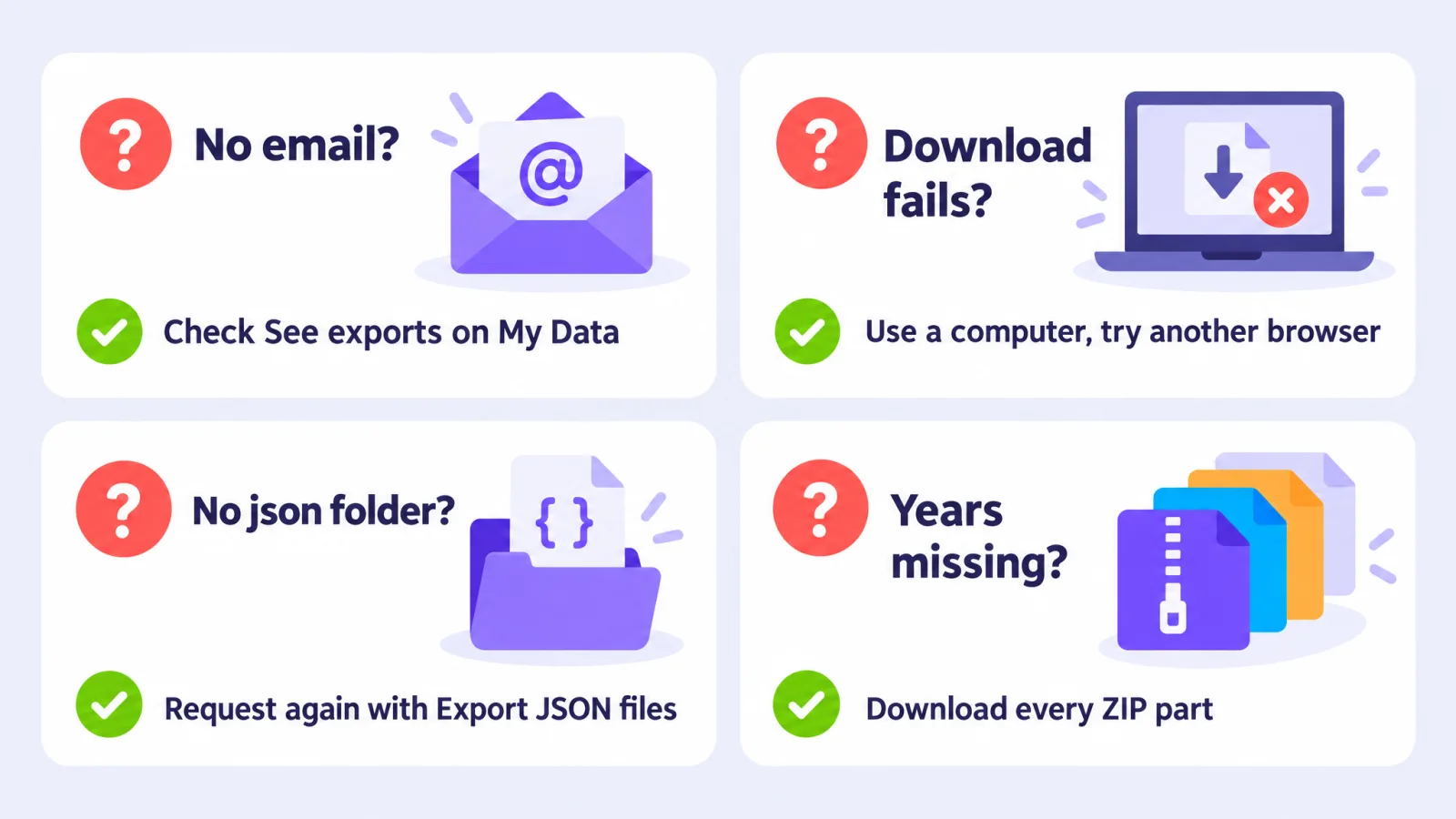
- Use a computer. Snapchat recommends downloading your data from a computer rather than a phone, and trying a different browser if you still have problems (Snapchat Support).
- Go straight to accounts.snapchat.com, log in, and click My Data. (In the app, the same page is under Settings → My Data.)
- If it stays blank, try another browser, or a private window (which turns off most browser extensions).
You can't submit a request ("security restriction")
Some people see a security message and can't request their data, often right after a password change or a login on a new device. Users report that it clears by itself, usually after about 72 hours (r/snapchat). Snapchat doesn't document this message on its help page, so if it doesn't go away after several days, contact Snapchat Support. More on what helps and what doesn't: Snapchat data download security restriction.
You submitted, but no email arrived
- Check the My Data page itself. Your export is listed there even if the email never comes, or if you typed the wrong address. Log in at accounts.snapchat.com, open My Data, then See exports (Snapchat Support).
- Check your spam folder.
- Give it time. Snapchat says it aims to deliver data within 7 days, and that large downloads can take longer.
How long does a Snapchat data download take?
Snapchat only promises "within 7 days" for most requests (Snapchat Support). In practice it depends on size. One developer's 7 GB export arrived in about an hour (CodingDK); another tool's author says it can take 24–48 hours (Snapchat-Memories-Downloader). Big libraries take longer. Snapchat also says a request can't be cancelled once it's sent.
The download link has expired
Snapchat doesn't publish how long export links stay valid. Tool authors report different numbers: about 7 days in one case (CodingDK), and about 3 days for recent exports in another (Snapchat-Memories-Downloader). If your link no longer works, request a new export, and download every part as soon as the email arrives.
Older exports didn't contain the photos and videos at all, only links to them. Those links also stop working over time. People with old exports report that "every Media Download URL in that file is offline" (r/SnapchatHelp). The fix is the same: request a new export. In 2026 exports the media files are inside the ZIP files.
The download fails or stops halfway
- Use a computer, and a wired or stable Wi-Fi connection.
- Make sure there's enough free space for every part. Big exports come as several ZIP files of a few gigabytes each.
- Download the parts one at a time instead of all at once.
- If your browser's downloads list offers Resume, use it. Otherwise, download that part again.
- If it keeps failing, try another browser, as Snapchat suggests.
Windows says the file "might be harmful"
People report Windows or their browser blocking Memories ZIP files as possibly harmful (r/SnapchatHelp). Before you keep the file, make sure it came from Snapchat: from the link in Snapchat's email or from the My Data page at accounts.snapchat.com. Then choose Keep in your browser's download list. If Windows still won't open it, right-click the ZIP in File Explorer, choose Properties, tick Unblock if you see it, and click OK.
The ZIP file won't open
- Check it finished downloading. A part that stopped early is broken; download it again.
- Try another unzip tool, such as 7-Zip on Windows or The Unarchiver on Mac.
- Or don't unzip at all. Memories Fixer reads complete Snapchat ZIP files directly, so you can skip this step.
The export is empty, or has no photos and videos
- "Export your Memories" was off. Without it, you get account data but no media. Request again with it turned on.
- A short date range was set. Turn the date range off to get everything.
- You have an old-style export with links instead of files (see expired link). Request a new one.
There's no json folder
The json folder, with memories_history.json inside, is only in the first ZIP file, the one with no number at the end. If it's not there:
- You may have requested Memories only. Developers report that the Memories-only export leaves out the JSON file (SnapchatMemoriesCaptionAdder).
- Export JSON files may have been off.
Request again with both Export your Memories and Export JSON files turned on. Without the JSON there are no places, and no list of dates.
Some memories or whole years are missing
- Did you download every ZIP part? Big exports come as
mydata~….zip,mydata~…-2.zip,mydata~…-3.zipand so on. Each part holds different memories. - Memories deleted long ago are listed but have no file. In one real export, 186 of 2,978 rows in the JSON file had no media; they were memories deleted from the account long before (CodingDK). They can't be recovered.
- Large accounts sometimes come back incomplete. People report exports that left media out without saying so (r/SnapchatHelp). If whole years are missing, request the export again, or request smaller date ranges, one at a time.
- Check the app.
Check your export in a minute (free)
Before you fix or move anything, find out whether your export is complete. Drop all your ZIP files into Memories Fixer. Before you save anything, it shows you:
- how many photos and videos it found, and how many videos were split into clips;
- the date range, from your oldest to your newest memory;
- how many memories it matched to their real date and place;
- a warning if
memories_history.jsonis missing; - a warning if memories are listed but have no file, with a hint to add more ZIP parts.
The check runs in your browser and nothing is uploaded. If everything is there, you can fix the whole export in the same place: captions put back, real dates and places, split videos joined. It's free, for photos and videos.
Wrong dates, missing captions, split videos?
Those aren't download problems. They're how Snapchat's export works:
- Dates show the download day
- Captions and stickers are separate files
- Long videos come in pieces
Frequently asked questions
Can I export my Snapchat Memories on my phone?
You can request it on a phone, but Snapchat recommends downloading your data on a computer. Big exports are several gigabytes and much easier to handle there.
Can I cancel a data request?
No. Snapchat says data download requests can't be cancelled (Snapchat Support).
I got an email about a data request I didn't make. What should I do?
Snapchat says to secure your account right away: change your password, turn on Login Verification and store your recovery code.
Does requesting my data delete anything?
No. You get a copy; everything stays in your account.
Related guides: How to download all your Snapchat Memories
Last checked: 29 October 2026. Memories Fixer is not affiliated with, endorsed by, or sponsored by Snap Inc. Snapchat is a trademark of Snap Inc.