Snapchat data download "security restriction": why it happens and how long to wait
Short answer: it's a temporary security block. After something changes on your account, such as a login on a new phone or browser, or a password change, Snapchat sometimes refuses data downloads for a while. People who hit it report that it clears after about 72 hours (3 days), usually when they try again from the same device (r/snapchat). Snapchat doesn't describe this block on its help pages, so waiting is the only fix people report. If it lasts much longer than a week, contact Snapchat Support.
You have time: Snapchat says no Memories will be archived before January 2027, and nothing is deleted because you don't pay (Snapchat Support).
What the restriction is (and isn't)
- It's not a ban. Your account and your Memories are fine. Only the data download is paused.
- It's not documented. Snapchat's help page for downloading your data doesn't mention it (Snapchat Support). Everything below comes from people who've had it, so treat the details as reports, not rules.
- It looks like Snapchat's "72-hour" check. People who try to delete their account from a new device report a similar message: try again "from the same device after 72 hours" (user reports). The download block seems to work the same way.
Why Snapchat would block downloads
A data download hands over your saved Memories, location history and more. Snapchat treats a download request as a security event: it emails you when one is made, and if you didn't make it, it tells you to change your password, turn on Login Verification and store your recovery code (Snapchat Support). A pause right after a new login makes it harder for someone who just got into an account to walk off with everything. That's our reading, not Snapchat's statement, but it fits what people report.
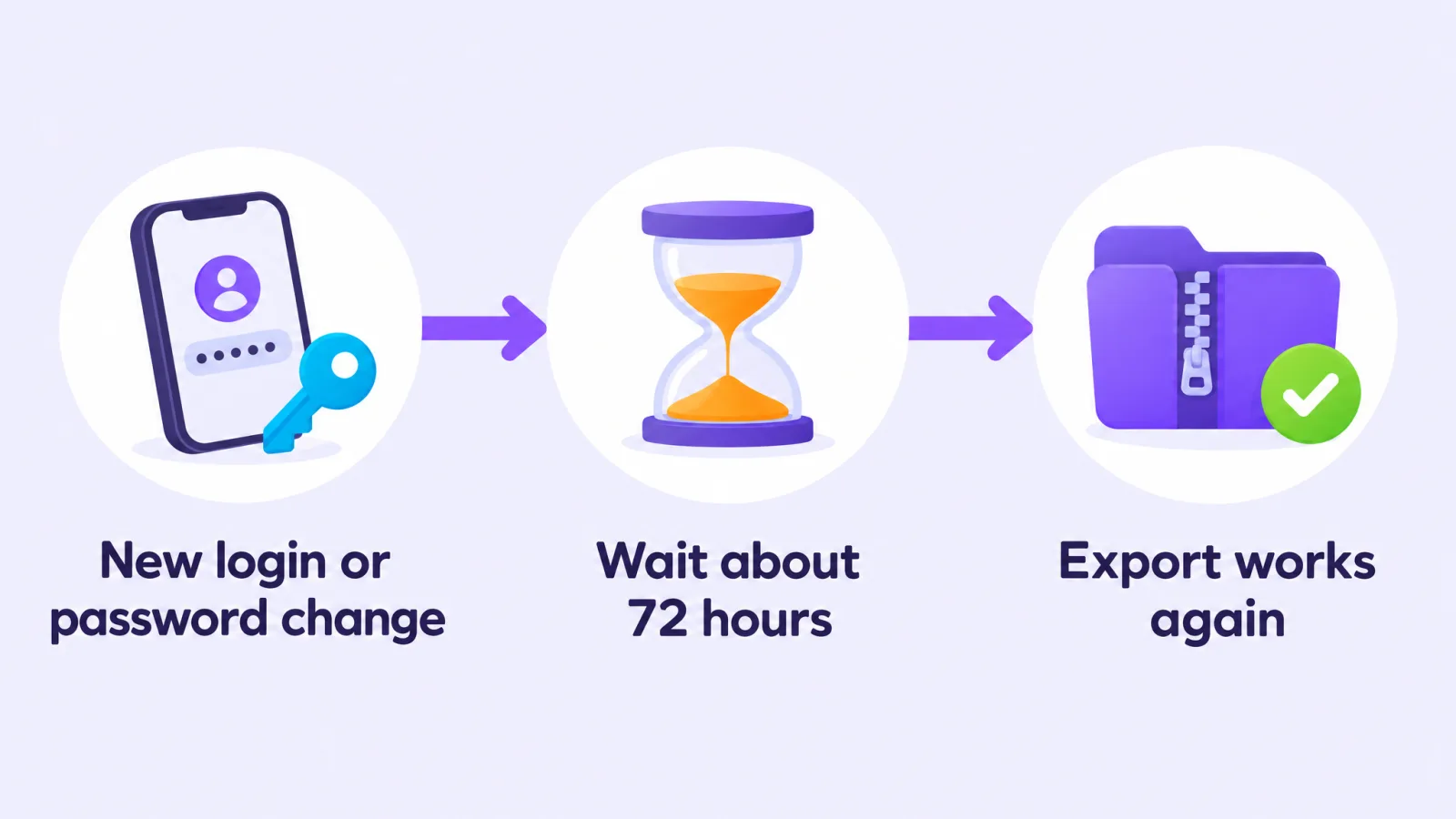
What triggers it
From user reports, the block tends to follow:
- logging in on a new phone, tablet or browser;
- changing your password, email or phone number;
- recovering a locked or hacked account.
What to do
- Wait about 3 days. Don't keep changing account settings in the meantime; each change can look like a new security event.
- Try again from the same device and browser you logged in with. The similar deletion message specifically says to try again "from the same device".
- Use the normal route: accounts.snapchat.com → My Data on a computer, or Settings → My Data in the app.
- Still blocked after a week? Contact Snapchat Support from the Snapchat help center and say you're blocked from downloading your data.
What not to do
- Don't use a VPN to "get around" it. A VPN makes you look like you're somewhere new, which is the kind of thing that triggers security checks in the first place.
- Don't give your login to anyone who offers to skip the wait or download your Memories for you. No legitimate tool needs your Snapchat password.
- Don't delete and remake your account. You'd lose your Memories.
While you wait: keep your Memories safe
- Check your backup. In the app: Settings → My App → Memories → Backup Progress should say "Complete" (Snapchat Support).
- Save your favourites from the app. You can export up to 100 Memories at a time: Memories → Select → Export → Download (TechCrunch). They'll carry today's date, but they'll be safe.
- Check how much storage you use: Settings → My App → Memories → Cloud Storage. Under 5 GB, nothing changes in January 2027 (what changes).
After it clears: export with the right settings
When the block lifts, request your export once, with the right options, so you don't have to do it twice:
- Turn on Export your Memories and Export JSON files (the JSON holds the dates and places).
- Leave the date range off to get everything.
- Download every ZIP file as soon as Snapchat emails you.
Full steps: How to download all your Snapchat Memories.
The export comes with captions as separate files, no dates inside the files and long videos in pieces. Memories Fixer puts all of that back in your browser; nothing is uploaded. It's free, for photos and videos.
Frequently asked questions
How long does the Snapchat security restriction last?
People report about 72 hours. Snapchat doesn't publish a number, and a few people say it took longer. If it lasts more than a week, contact Snapchat Support.
What is the Snapchat 72-hour rule?
It's what people call a security wait Snapchat applies after a login from a new device or other account changes. During it, actions like deleting your account or, it seems, downloading your data are blocked. Snapchat hasn't documented it.
Does this mean my account was hacked?
Not necessarily. It usually follows your own new login or password change. If you didn't do anything, check which devices have logged in at accounts.snapchat.com and secure your account as Snapchat recommends.
Will my Memories be archived while I wait?
No. Snapchat says nothing will be archived before January 2027, and you'll get a notice in the app first.
Related guides: Snapchat data download not working · How to download all your Snapchat Memories · Is Snapchat deleting Memories?
Last checked: 29 October 2026. Snapchat doesn't document this restriction; details come from user reports. Memories Fixer is not affiliated with, endorsed by, or sponsored by Snap Inc. Snapchat is a trademark of Snap Inc.